From website to web app: what changes when you add a backend
Over the last few videos I built a small site in Lovable, published it, put it on a custom domain, and connected it to GitHub. It works. People can visit it, read it, and send me a message through the contact form.
But it's a website, and it has the limits of one. This time I wanted to find out what it takes to turn it into a web application, and how much of that work Lovable actually does for you.
The problem with "just a website"
A website is a presentation. Visitors can look at content and maybe submit a form, but that's the end of the interaction. They can't sign in, save anything, or leave anything behind.
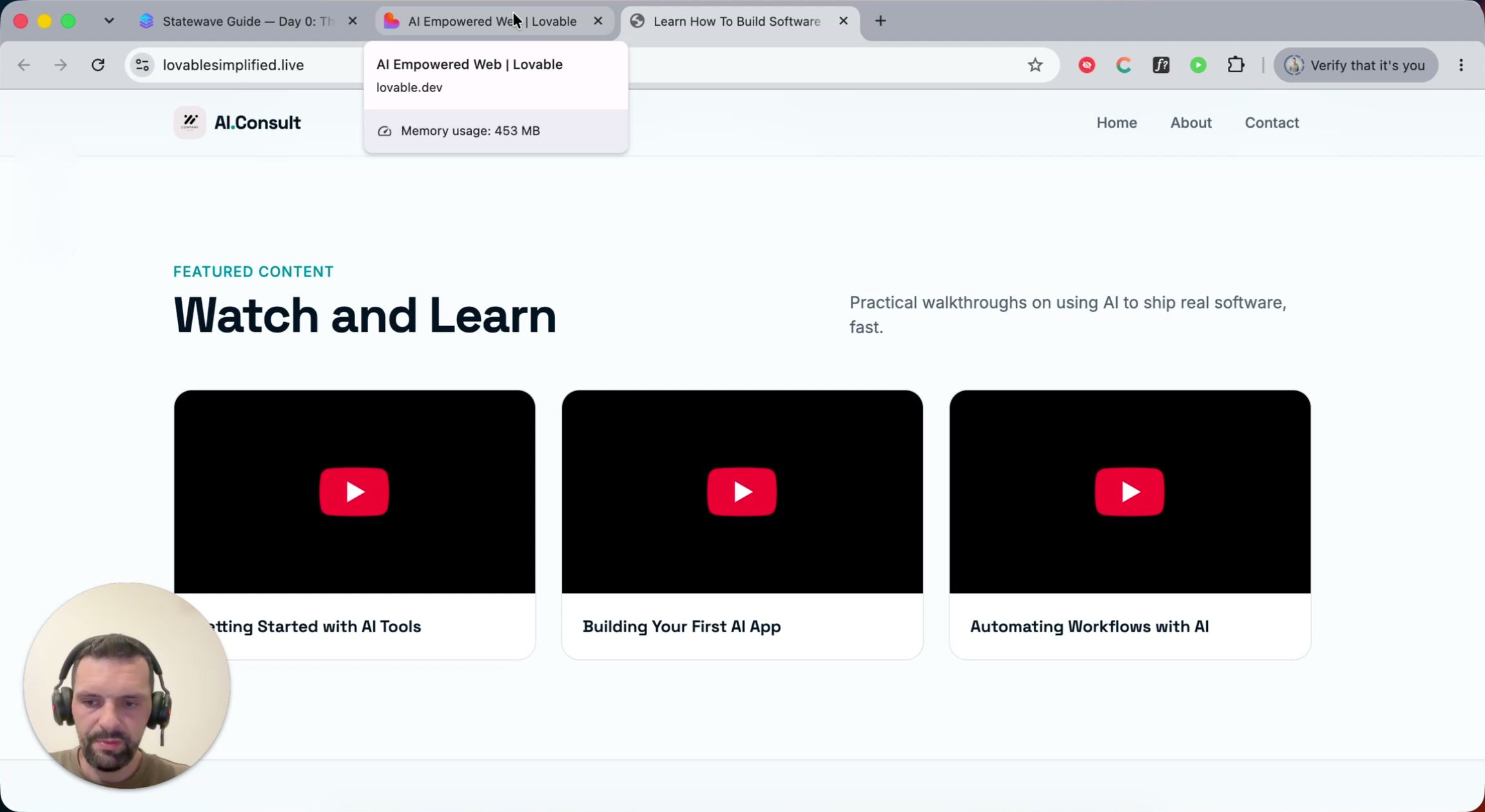
That's fine until your content starts changing. My homepage has a "Watch and Learn" section with a few videos. Every time I publish a new one, I have to go back into Lovable (or whatever tool built the site) and change the site's code just to add one more card. That's slow and error-prone, and it doesn't scale to hundreds of videos.
What I really want falls into two groups:
- For me, as the admin: sign in somewhere and manage the content directly, without rebuilding the site every time.
- For visitors: create an account, then comment on videos or save favorites.
Both need the parts people mean when they say backend, API, database, server: somewhere to store data and a secure way to know who's who. That's the line between a website and a web app.
One prompt, a whole backend
Signing in looks trivial. You type an email and a password and click a button. Doing that securely takes a lot of machinery. To keep this video simple I stuck with Lovable's built-in features, and I asked for the first thing I wanted:
I need an option to manage my videos. I am administrator and I want a secure way to log in and change title and description of my videos. I don't want other users to be able to modify anything.
Lovable immediately suggested enabling Lovable Cloud, its built-in backend for saving data, signing users in, and using AI.
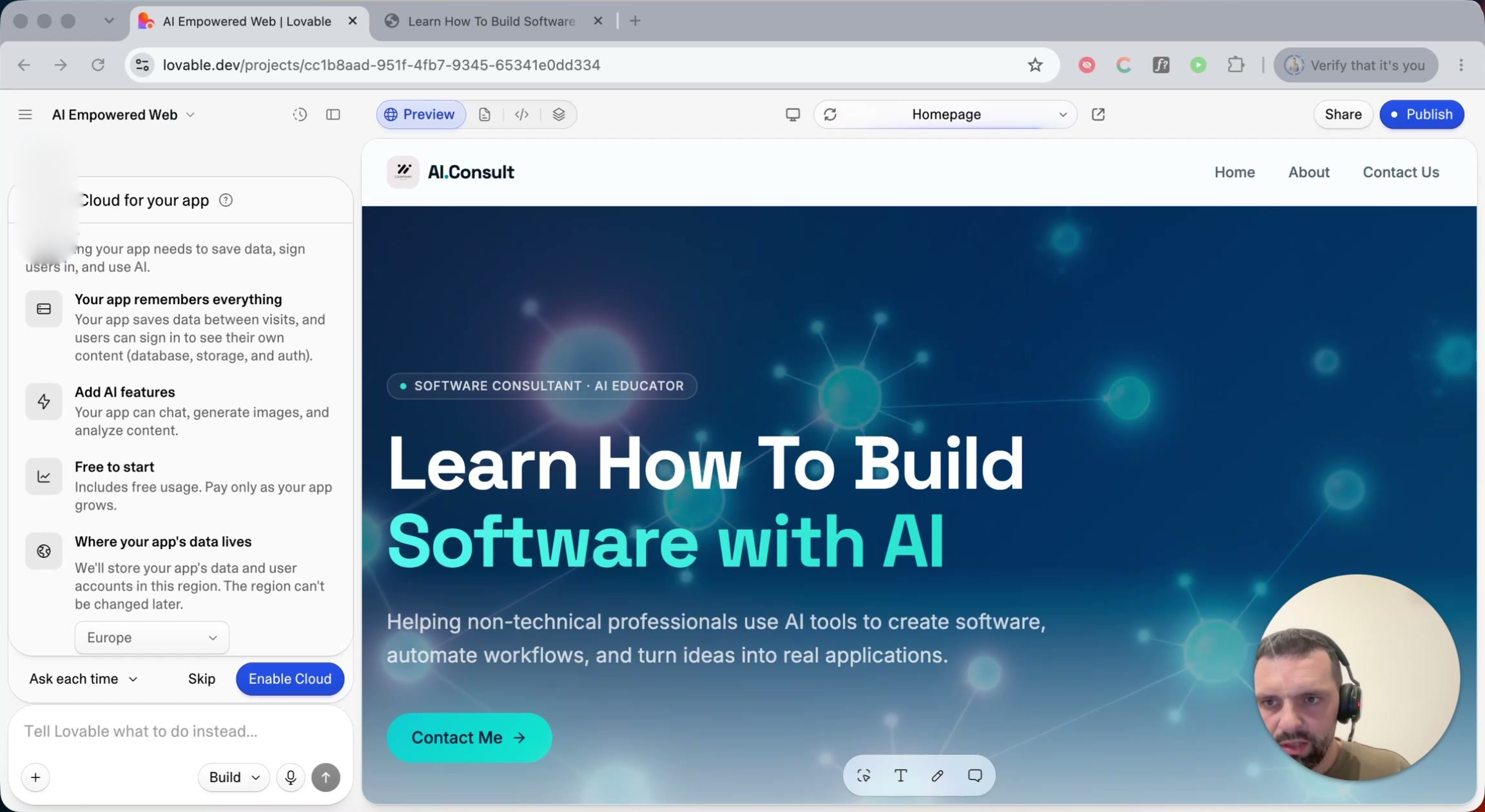
Lovable Cloud runs on Supabase, which I think is a great product. Lovable also lets you connect your own Supabase project directly instead. The choice between the two matters, and Supabase deserves a proper explanation of its own, so both are getting separate videos.
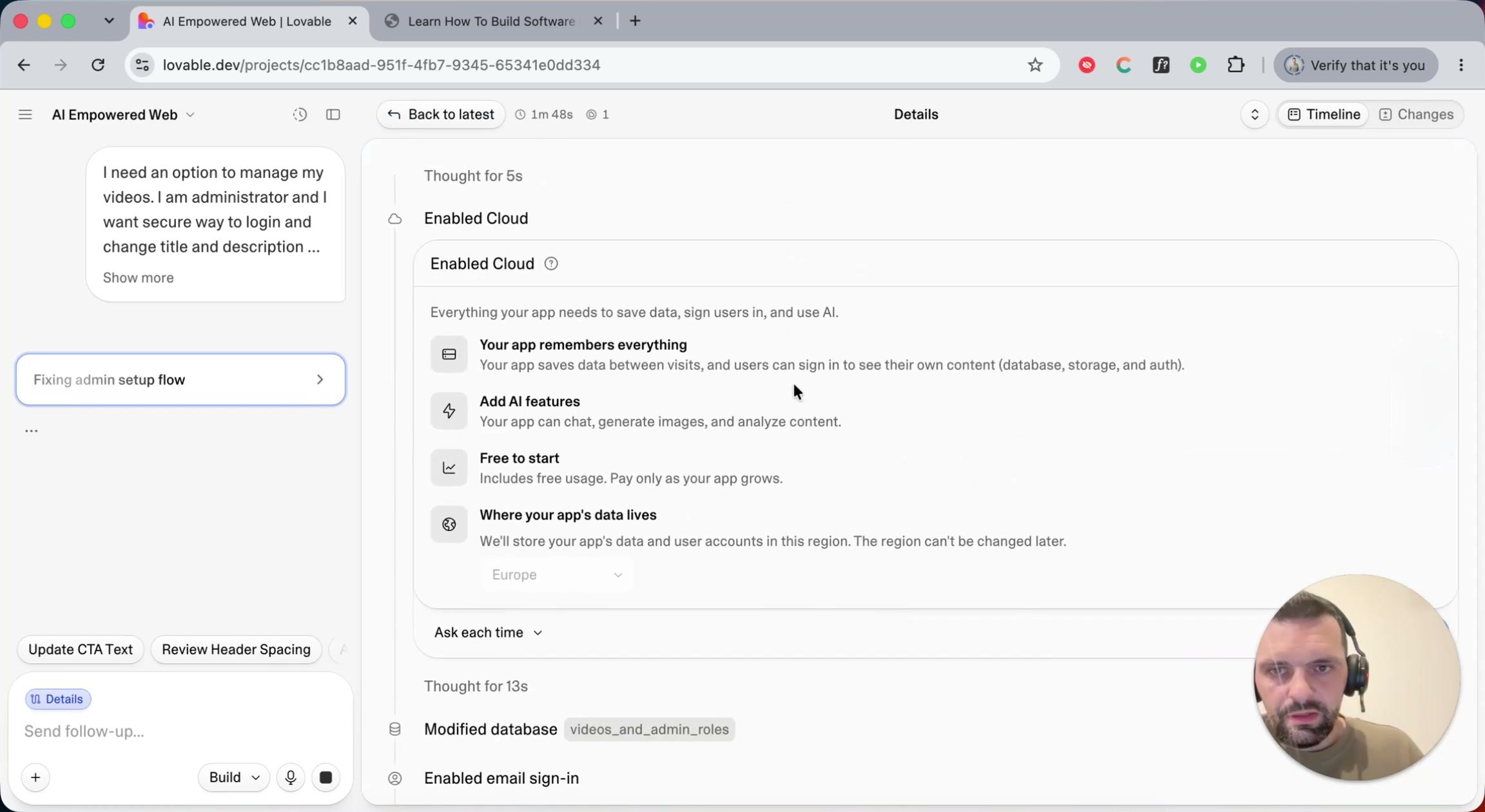
One thing I like in the newer versions of Lovable is the activity log. You can watch the agent enable Cloud, create database tables, turn on email sign-in, and edit files. Even if you never touch the code, it's a good way to see what "add a login" actually involves.
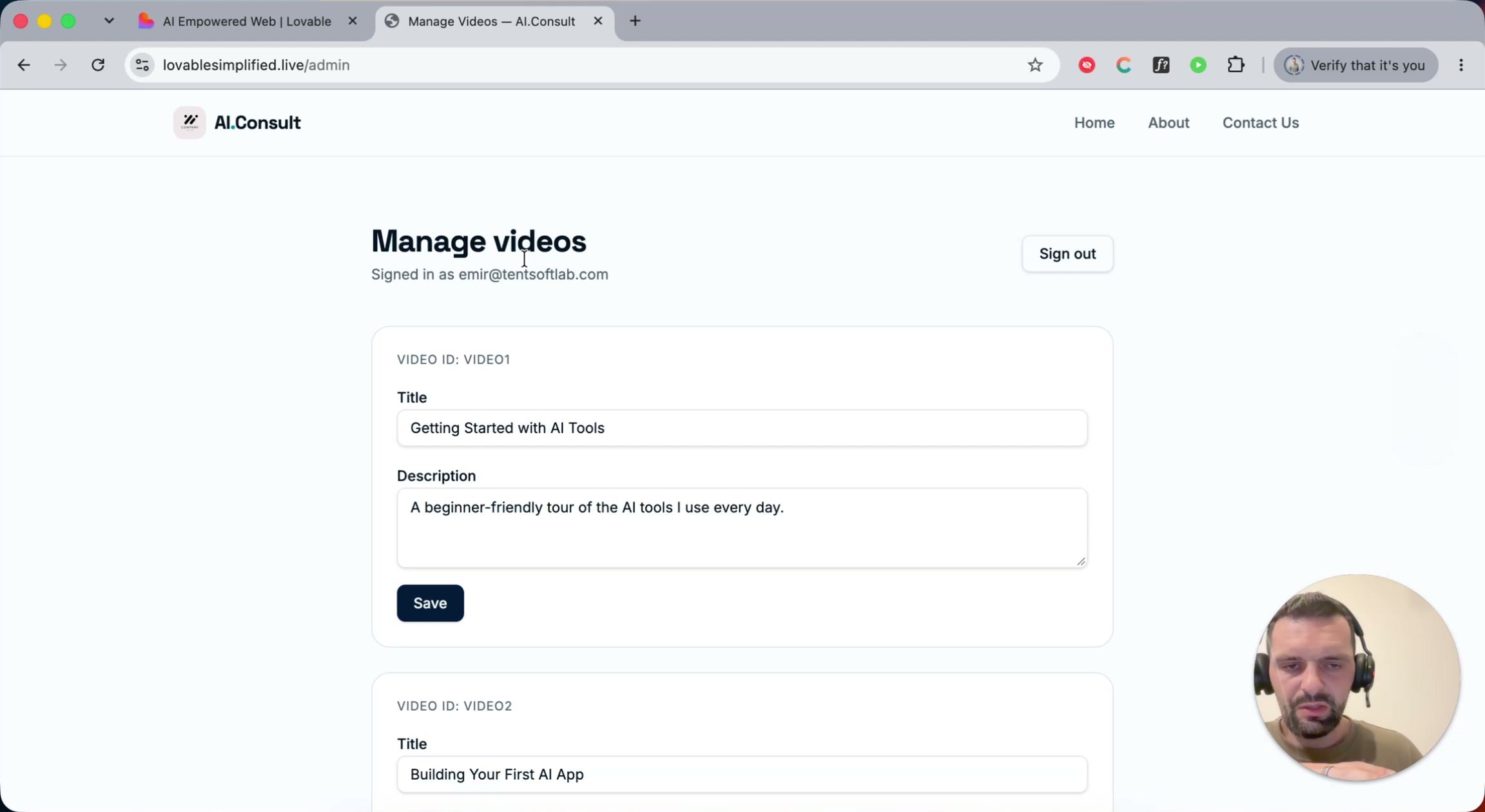
A few minutes later I had a private admin page. I signed in, changed a video title, saved it, and the homepage showed the change. No code edits, no rebuild. It's a very simple content management system, but it is one.
The AI builds what you ask for, not what you meant
Look closely at that first version, though. I can edit videos, but I can't add new ones or delete old ones. That's not Lovable's fault. I asked for a way to "change title and description", and that's what I got.
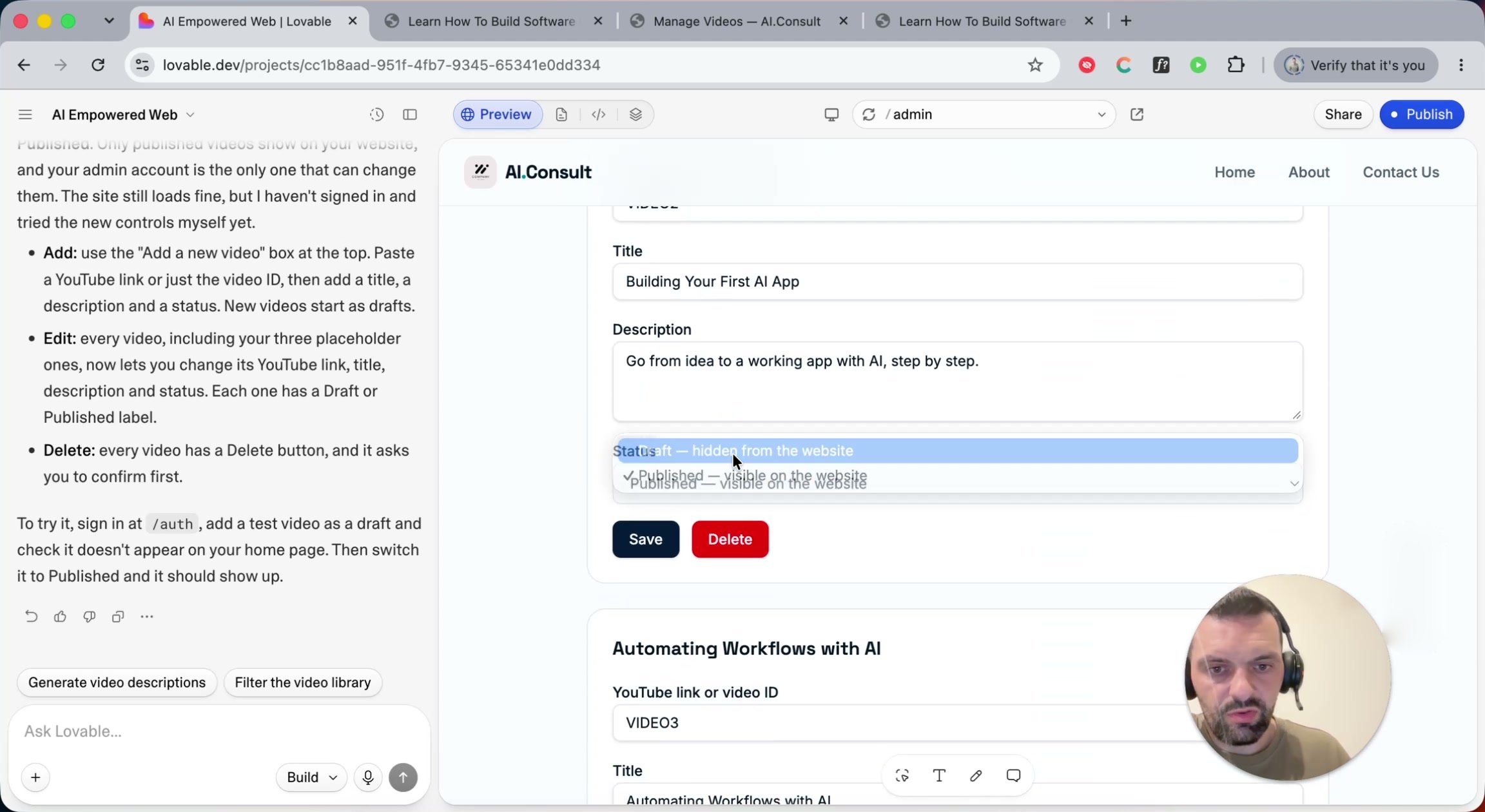
This is the most useful lesson from the whole session. The more specific you are, the better the result. A better first prompt would have been "I need a feature to fully manage my videos: create, edit and delete them." So I followed up, asking for add, edit and delete, plus a draft status. The next version had all of it: an "Add a new video" form, a Draft/Published switch, and a Delete button on every video.
A related tip: every prompt costs credits. Some of what I did in this video, like creating the admin account through the chat, you can just do in the app yourself.
Please don't give the AI your passwords
To create the admin account, I asked Lovable to do it for me, and it asked for a password in the chat. I went along with it for the demo, but in general try not to put passwords into AI prompts. If you do it for a quick setup, change the password once you're done, especially if the project will ever go to production.
It was reassuring that Lovable's backend rejected my simple test passwords as too easy to guess or already leaked, and generated a strong one instead. Lovable also runs its own security checks after changes. That helps, but it doesn't replace thinking about this yourself.
What's behind Lovable Cloud
Open the Cloud section of the project and you'll see what you're actually getting: Database, Users, Storage, Emails, Secrets, Jobs, Edge Functions, SQL Editor, Logs, Usage. All of it comes from Supabase.
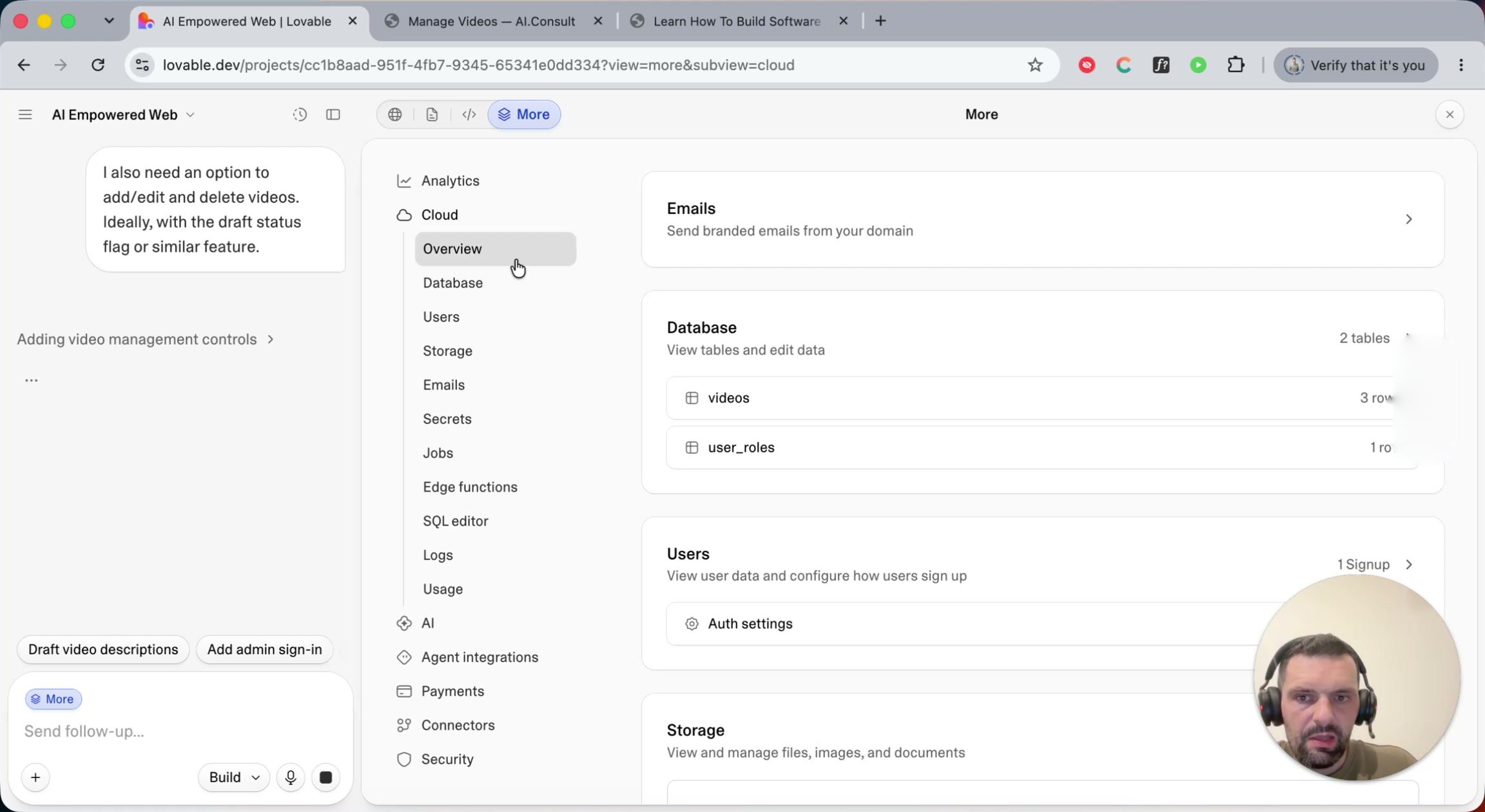
The two that matter most right now:
- Users. Supabase has user handling built in: signing up, storing passwords securely, password resets, and later, rules for which user is allowed to do which operation. That last part, authorization, is what makes me the only admin.
- Database. At this point there were just two tables,
videosanduser_roles, where my account holds theadminrole. You can browse, edit and export data here too. If all you need is data you manage yourself inside Lovable with no login at all, that's perfectly fine too.
Storage (for files your users upload) and Emails (for sending mail from your app) are here as well. I'll cover those and the rest once we get into Supabase properly.
Letting visitors in
For the last feature I wanted visitors to comment on videos, but only after logging in. That's unusual for a blog, since you can normally comment freely. Requiring a login raises the real question, though: how do visitors get into my system? So I asked for a sign-up form with name, email and password, with me approving or rejecting each comment, and no emails for now.
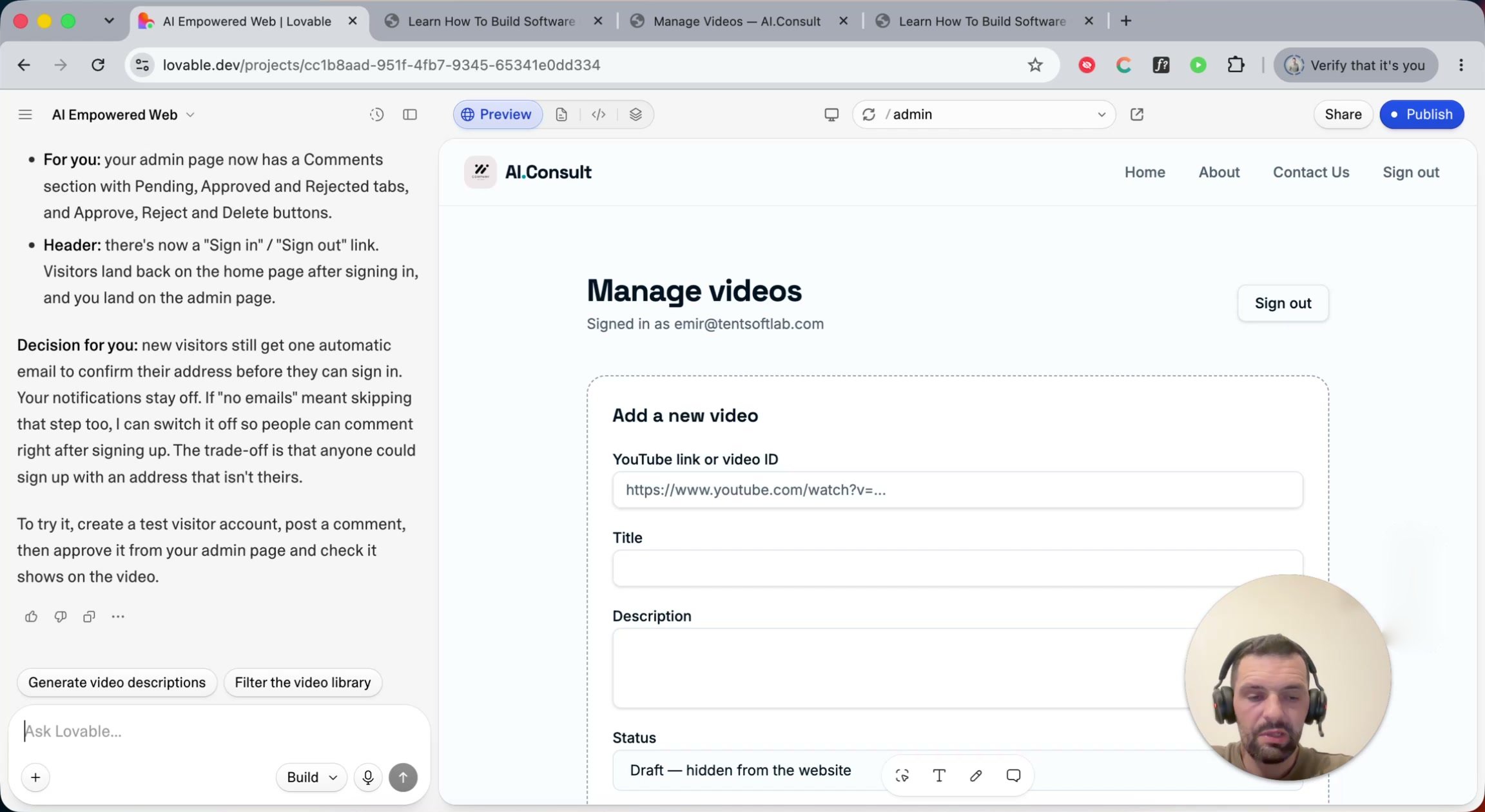
Lovable added a comments table, sign-in and sign-out links, a moderation section on the admin page, and then gave me a decision to make. New visitors would still get one automatic email to confirm their address. It could switch that off, but then anyone could sign up with an address that isn't theirs. I kept it on.
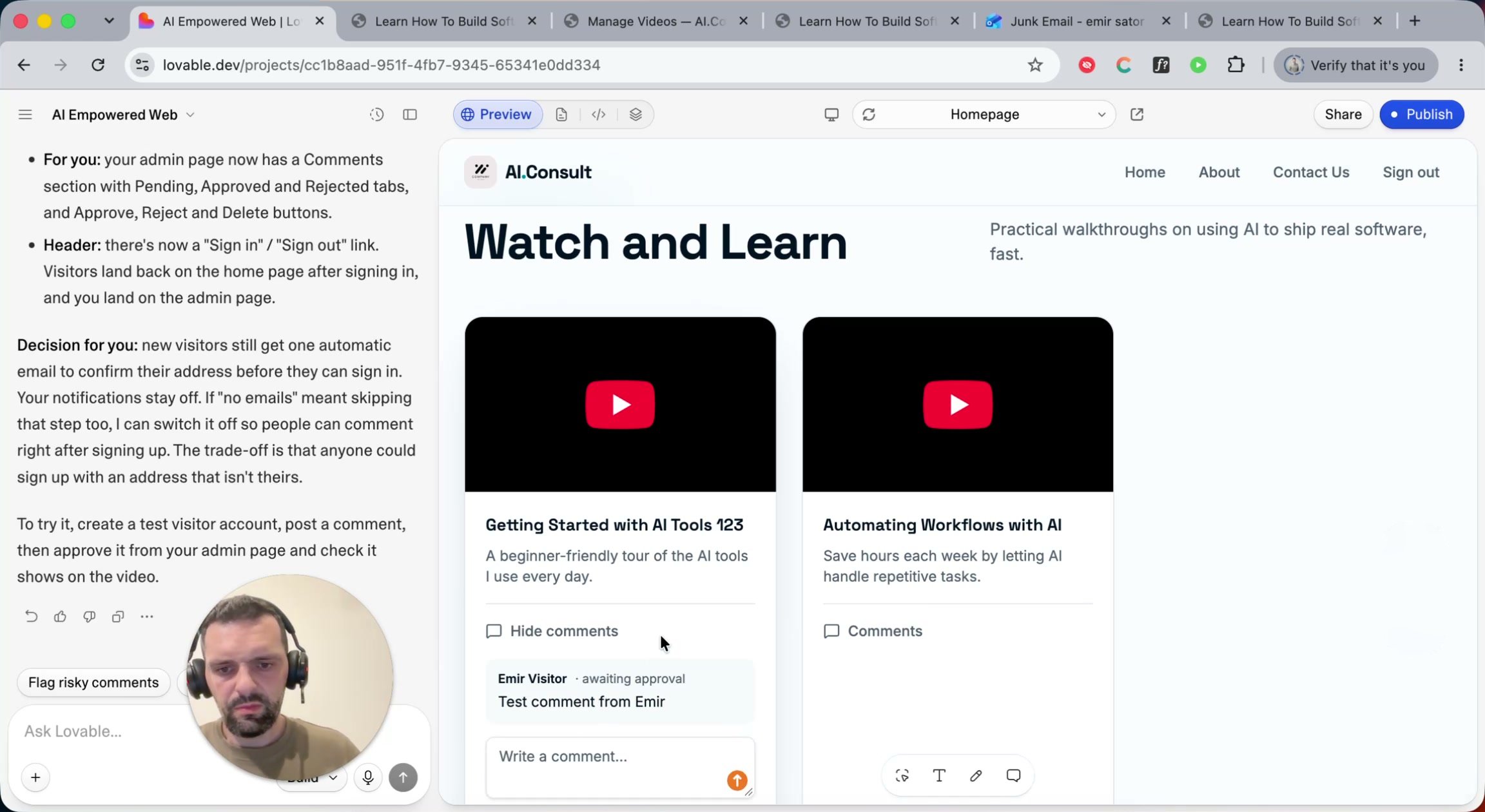
I tested it as a new visitor: signed up, confirmed the email, and posted a comment. It sat there "awaiting approval" until I signed in as admin and approved it.
A small trick for testing anything with logins: use your browser's incognito mode. Most web apps use the browser's local storage to remember that you're signed in, so a private window is the easiest way to be a brand-new visitor.
This is also where security stops being theoretical. Once users store their own data, you have to make sure each person sees only what they're supposed to see. If I upload my videos and Anna uploads hers, I should see only mine, and someone who isn't logged in shouldn't find a workaround to see either. There's a lot of complexity in getting that right, and I'll cover best practices, and what can go wrong when secrets get exposed, in a future video.
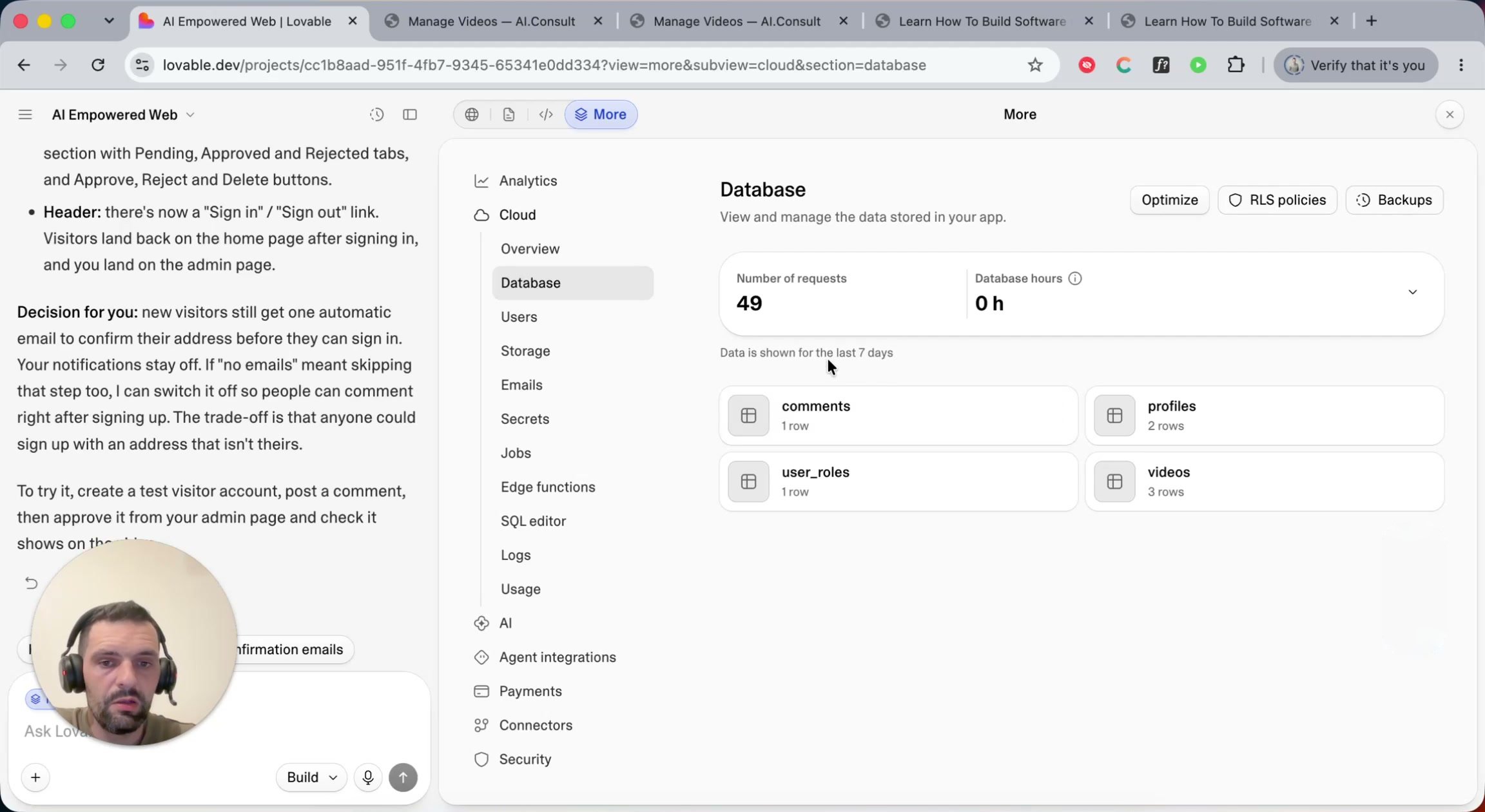
After all that, the database had grown on its own: comments and profiles now sit
next to videos and user_roles.
Where this leaves us
In about half an hour of prompting, a static website became a small web application with:
- Authentication. Real accounts for an admin and for visitors, with automated email confirmation on sign-up.
- Authorization (the beginnings of it). An admin role that can manage everything, and visitors who can only post comments that I review.
- A simple CMS. I can add, edit, delete and draft videos without touching code.
It's far from a production app. I'd want comment counts on each video, comments shown inside the admin view, and probably a table view instead of one long page. That's the point, though: from here it's about your own workflows and requirements, and each one is just another well-described prompt.
Next up: Lovable Cloud vs. connecting Supabase directly, a closer look at Supabase itself, and later some alternatives to Lovable. If you have questions once you start building your own web apps, leave a comment on the video or write to me at emir@tentsoftlab.com.